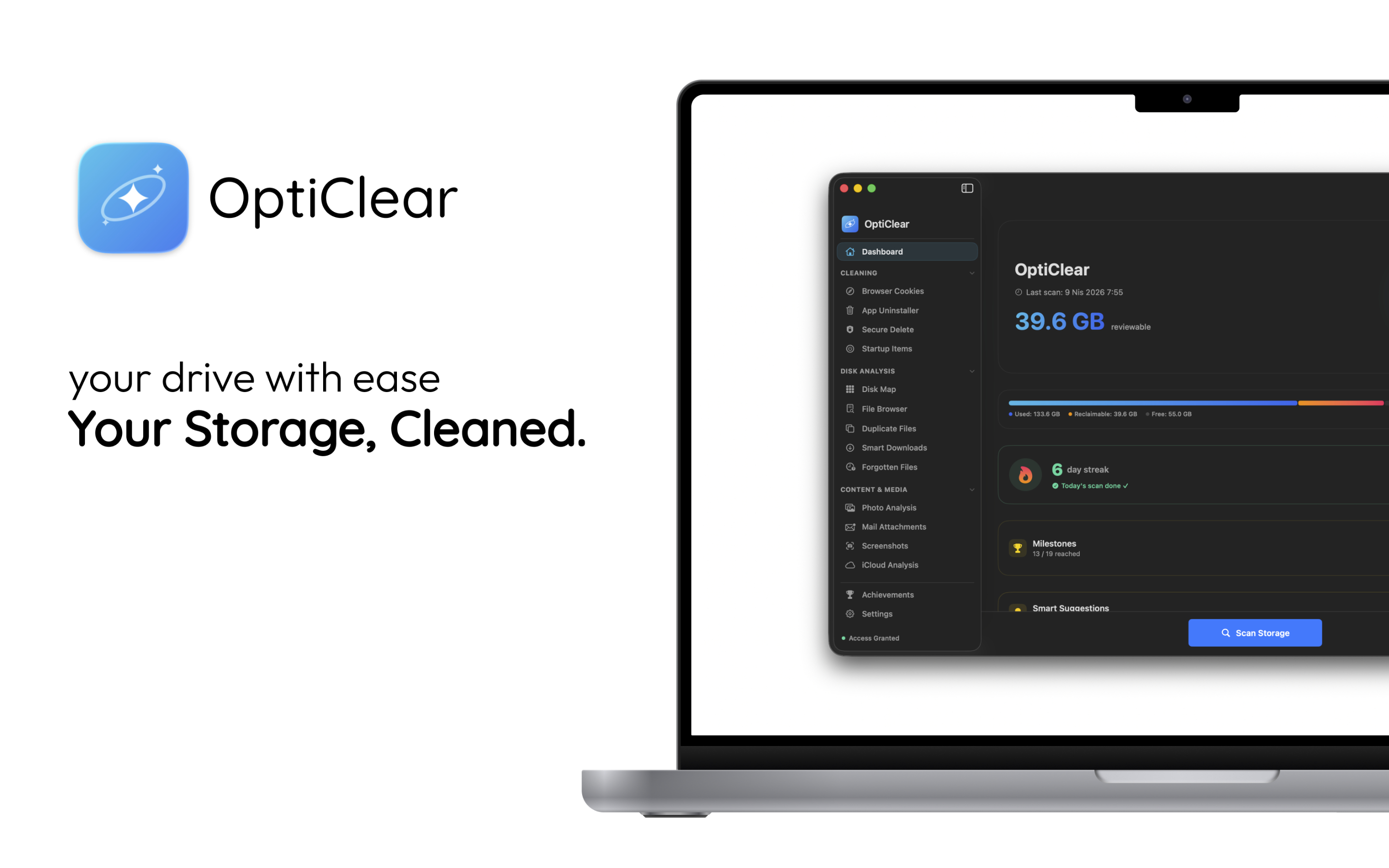
已在 Mac App Store 上架

你的儲存空間,
更乾淨。

OptiClear 會精準掃描、分析並清理你的 Mac。
回收數 GB 空間、審查隱私權限,始終保有主導權。

免費下載 瞭解更多

macOS 14.0+ · 免費使用,可選 Pro

OptiClear - Clean your Mac storage with duplicate file and photo cleanup | Product Hunt
OptiClear Dashboard — 39.6 GB reviewable
40+ GB
Average Reclaimed
15+
Scan Categories
25+
Permissions Audited
100%
Safe & Transparent
Browser Cookies App Uninstaller Secure Delete Disk Map Duplicate Files Smart Downloads Photo Analysis Mail Attachments iCloud Analysis Privacy Auditor Developer Tools Crash Logs Launch Agents System Monitor Browser Cookies App Uninstaller Secure Delete Disk Map Duplicate Files Smart Downloads Photo Analysis Mail Attachments iCloud Analysis Privacy Auditor Developer Tools Crash Logs Launch Agents System Monitor

Powerful features, zero complexity.

Every tool you need to keep your Mac running like new.

System Analysis

Deep System Analysis.

Safely review what’s eating your storage. OptiClear categorizes files, separates low-risk from items that need review, and gives smart recommendations.
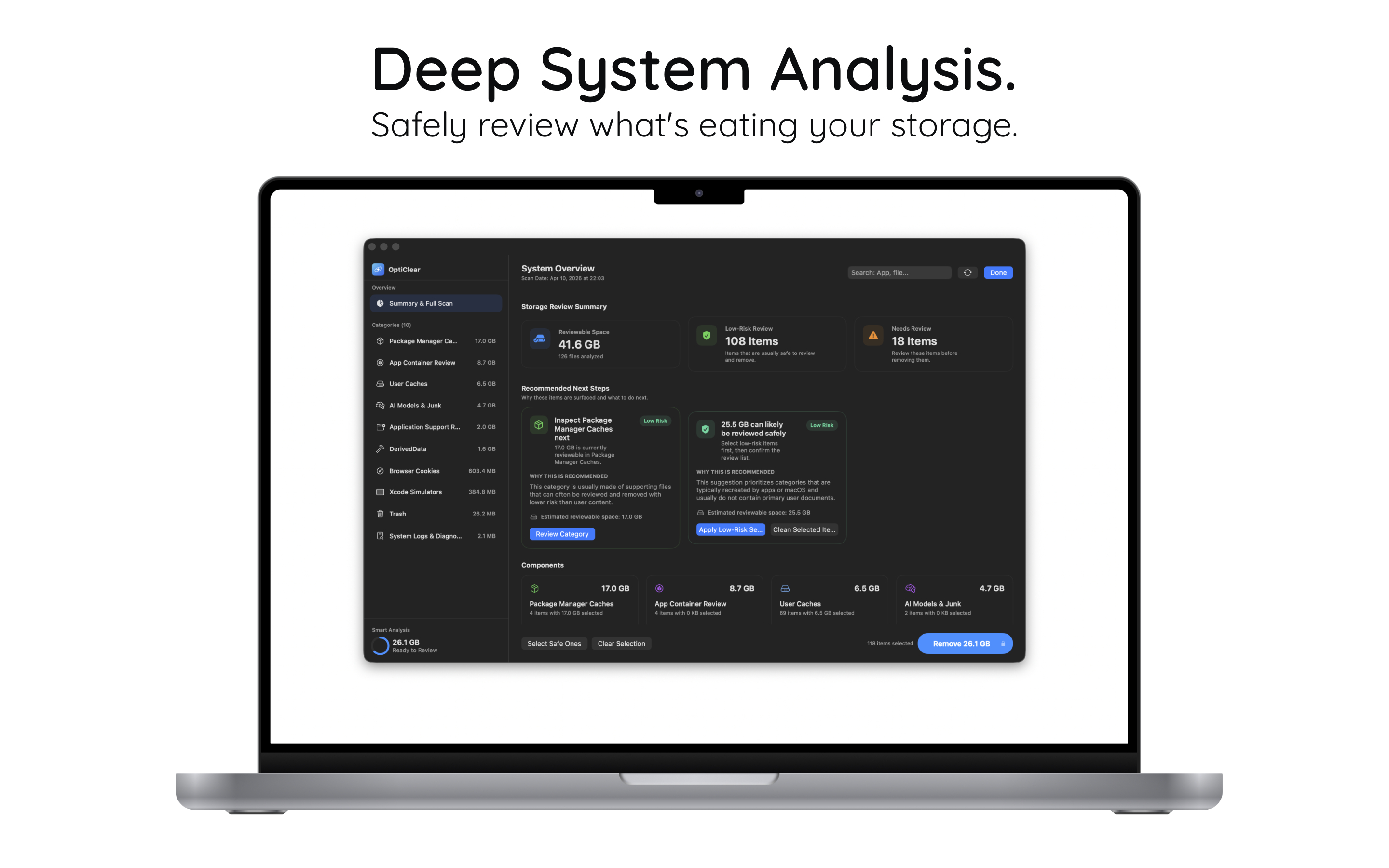
  • 41.6 GB reviewable across 10 categories
  • 108 low-risk items safe to remove
  • Smart recommendations that explain why
Deep System Analysis
Privacy

Take Back Control.

Instantly see which apps access your camera, mic, and disk. Surface hidden permissions and risk levels so you’re always in charge.
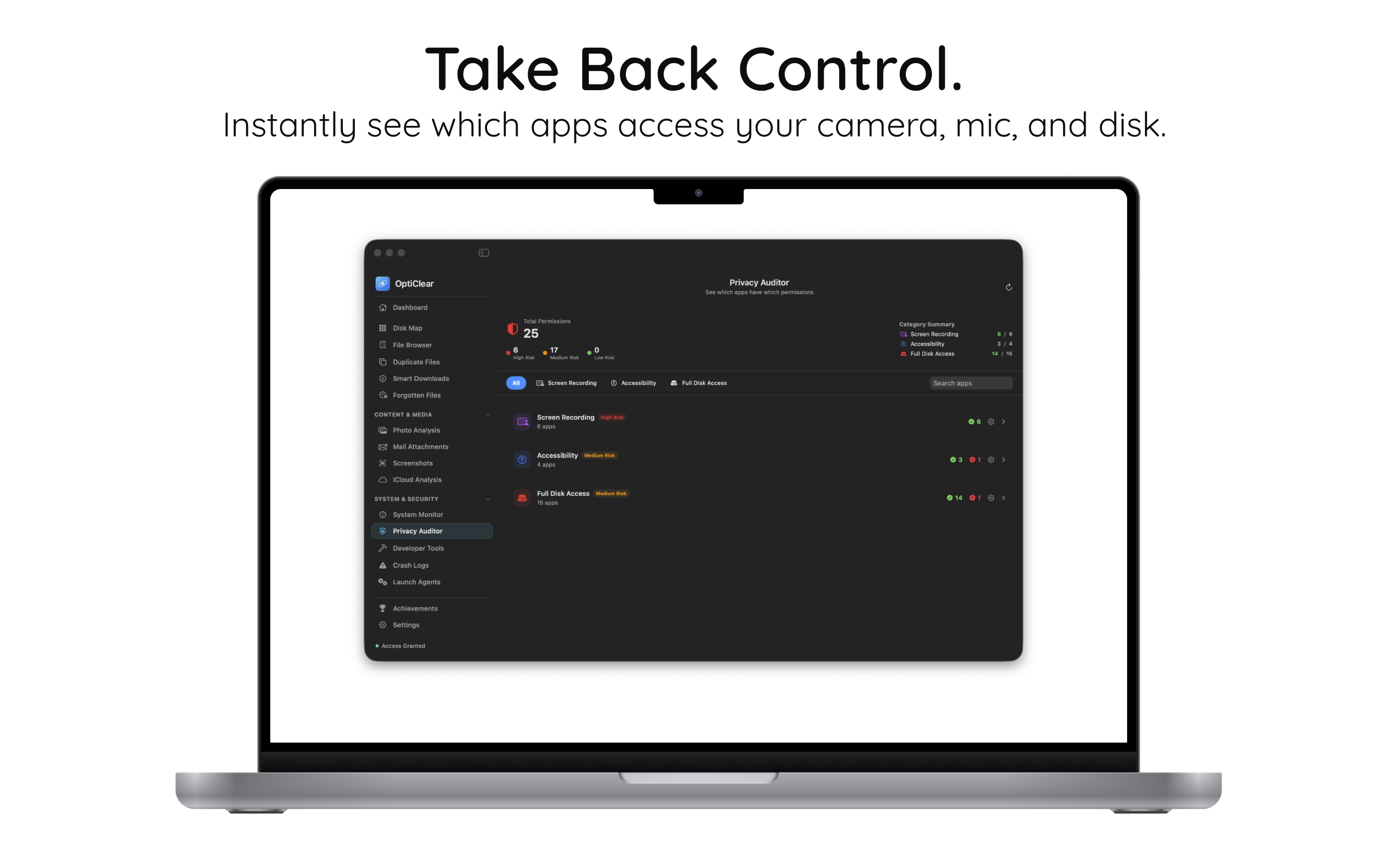
  • 25 permission types audited at a glance
  • Risk-level badges: High, Medium, Low
  • Screen Recording, Accessibility, Full Disk
Privacy Auditor
Developer

Built for Developers.

Reclaim GBs from Xcode, Docker, and simulator caches. Review DerivedData, runtimes, and package caches in one clean interface.
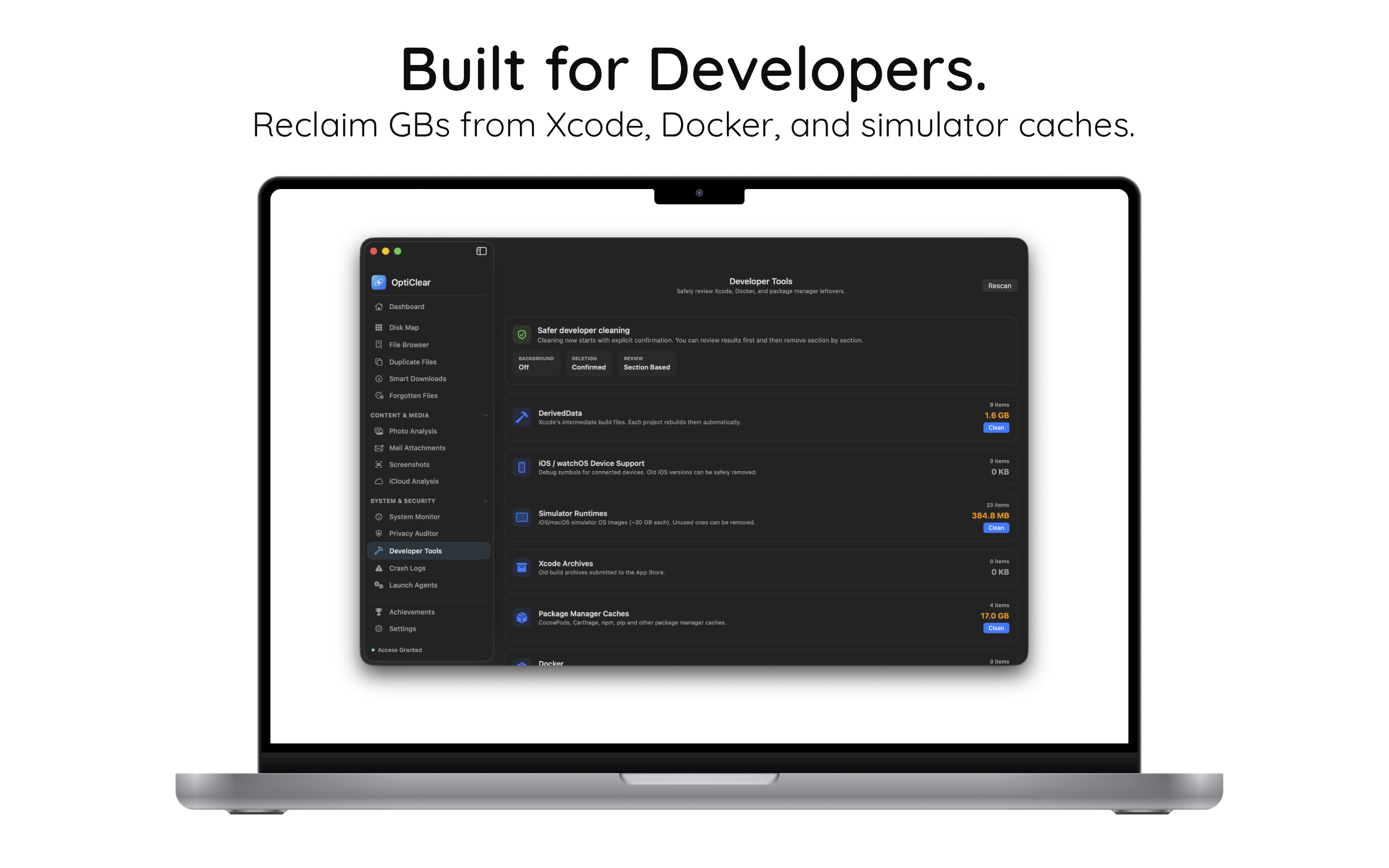
  • DerivedData, Simulators, Xcode Archives
  • CocoaPods, npm, pip caches (17 GB+)
  • Safer cleaning with explicit confirmation
Developer Tools
Photos

Organize Your Memories.

Find and remove duplicate or similar photos effortlessly. Spot low-quality images, screenshots, and near-identical shots.
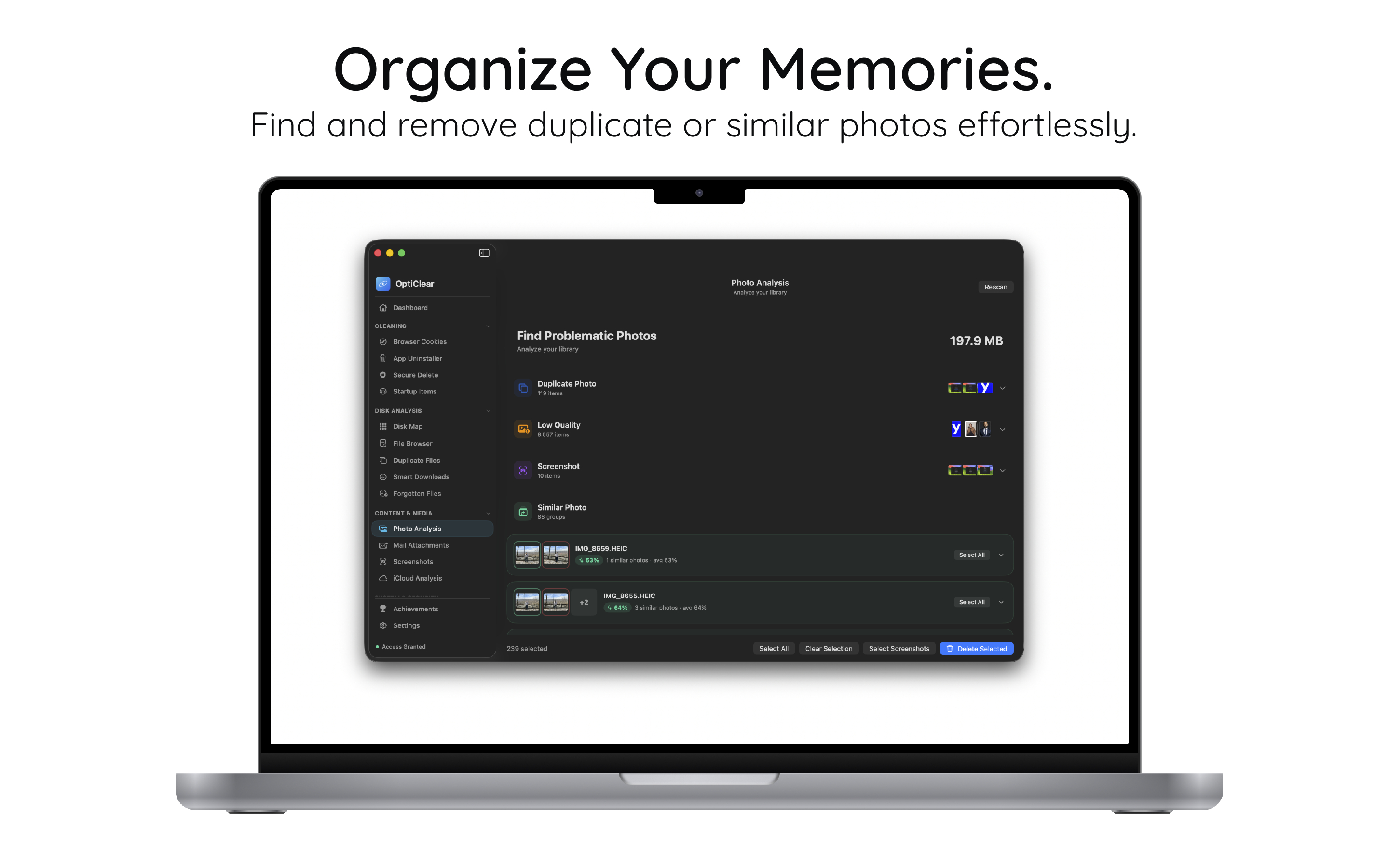
  • Duplicate, low-quality, screenshot detection
  • Similar photo grouping with preview
  • Bulk select & clean with one click
Photo Analysis

Start in under a minute.

No configuration needed. Install, scan, reclaim.

1

Install

Download OptiClear free from the Mac App Store.

2

Scan

Run a full system scan — storage, caches, duplicates, privacy.

3

Clean

Review recommendations and reclaim gigabytes safely.

簡單、 誠實的定價。

永久免費開始使用。準備好再升級。

免費版
$0
永久免費
  • Dashboard & Overview
  • Browser Cookie Cleaning
  • System Monitor
  • Disk Map & File Browser
免費開始

準備好 重新找回你的 Mac 嗎?

加入信任 OptiClear 的 Mac 使用者,讓磁碟保持乾淨、快速與私密。

前往 Mac App Store 下載