Mac App Store에서 이용 가능

당신의 저장 공간,
정리 완료.

OptiClear는 Mac을 정밀하게 스캔하고 분석하고 정리합니다.
기가바이트 단위의 공간을 되찾고 개인정보를 점검하며 통제권을 유지하세요.

무료 다운로드 자세히 보기

macOS 14.0+ · 선택형 Pro와 함께 무료

OptiClear - Clean your Mac storage with duplicate file and photo cleanup | Product Hunt
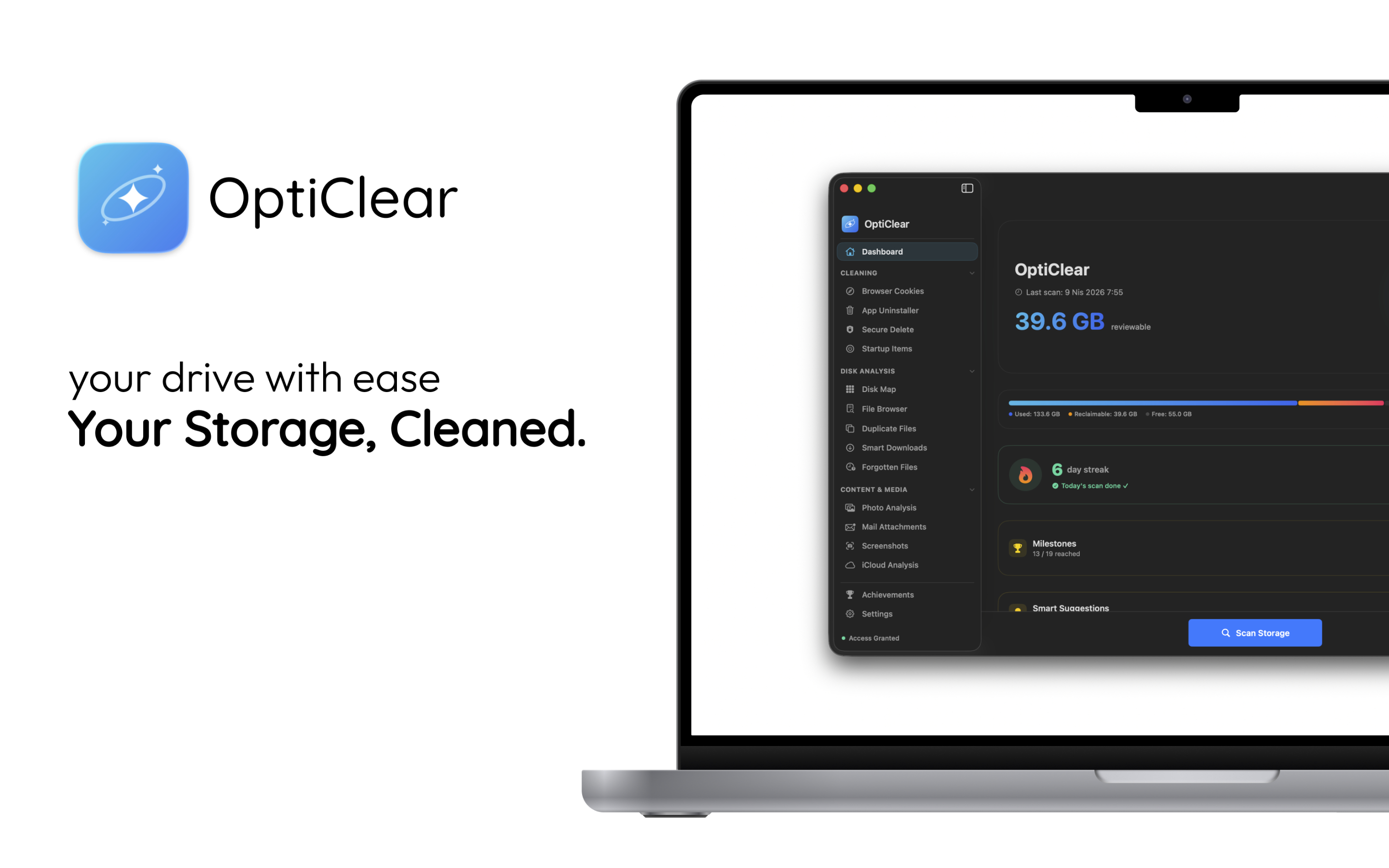
OptiClear Dashboard — 39.6 GB reviewable
40+ GB
Average Reclaimed
15+
Scan Categories
25+
Permissions Audited
100%
Safe & Transparent
Browser Cookies App Uninstaller Secure Delete Disk Map Duplicate Files Smart Downloads Photo Analysis Mail Attachments iCloud Analysis Privacy Auditor Developer Tools Crash Logs Launch Agents System Monitor Browser Cookies App Uninstaller Secure Delete Disk Map Duplicate Files Smart Downloads Photo Analysis Mail Attachments iCloud Analysis Privacy Auditor Developer Tools Crash Logs Launch Agents System Monitor

Powerful features, zero complexity.

Every tool you need to keep your Mac running like new.

System Analysis

Deep System Analysis.

Safely review what’s eating your storage. OptiClear categorizes files, separates low-risk from items that need review, and gives smart recommendations.
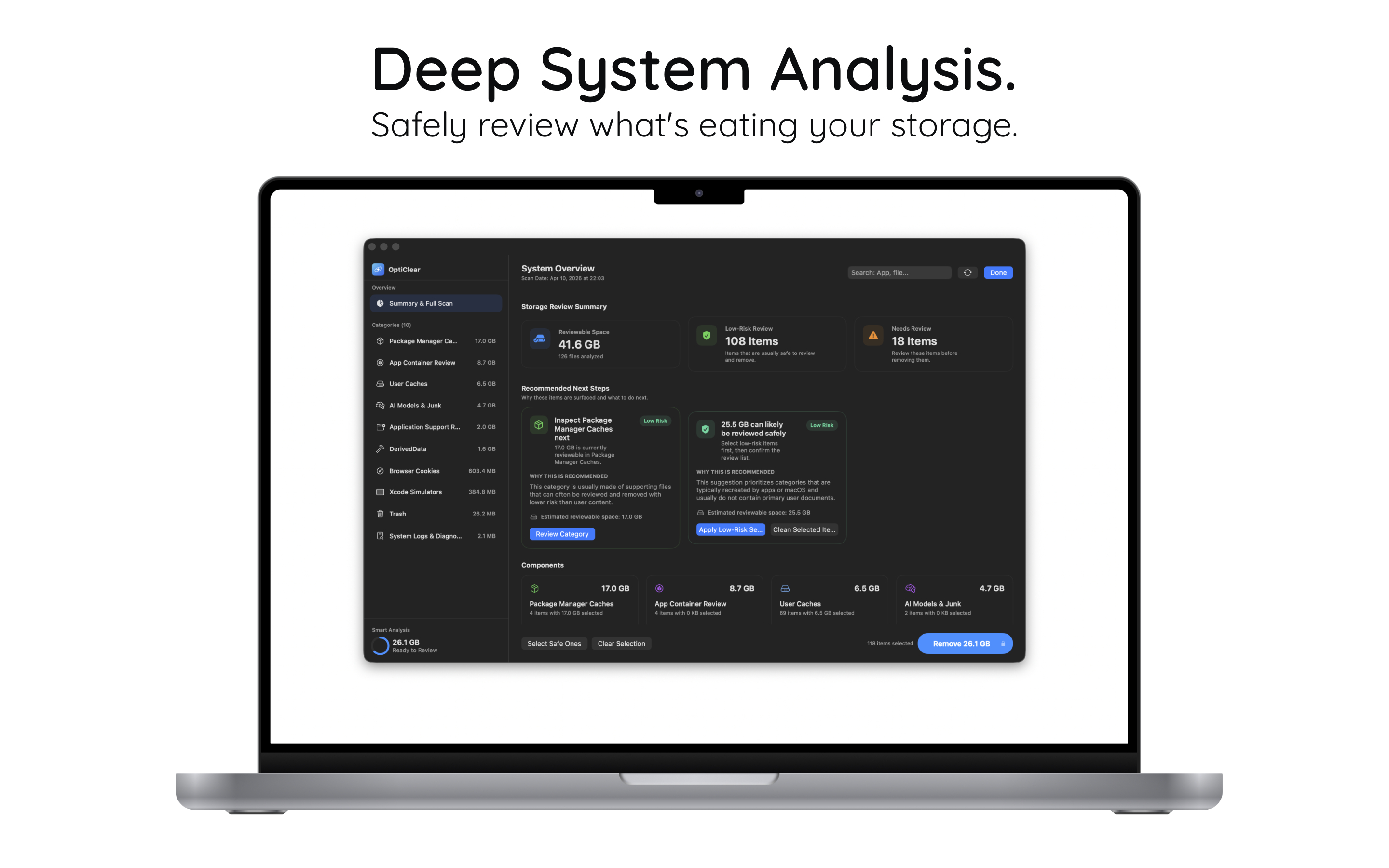
  • 41.6 GB reviewable across 10 categories
  • 108 low-risk items safe to remove
  • Smart recommendations that explain why
Deep System Analysis
Privacy

Take Back Control.

Instantly see which apps access your camera, mic, and disk. Surface hidden permissions and risk levels so you’re always in charge.
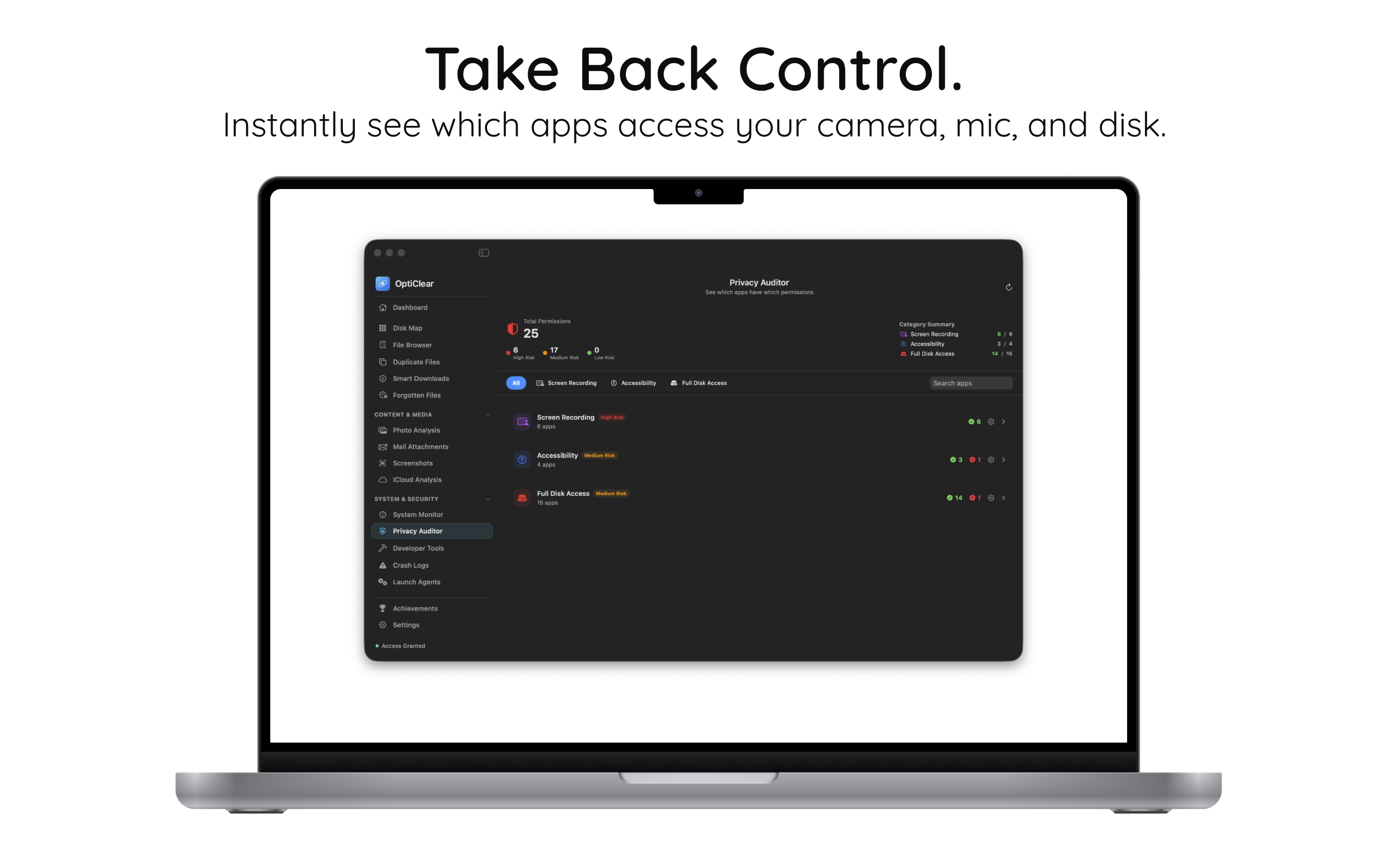
  • 25 permission types audited at a glance
  • Risk-level badges: High, Medium, Low
  • Screen Recording, Accessibility, Full Disk
Privacy Auditor
Developer

Built for Developers.

Reclaim GBs from Xcode, Docker, and simulator caches. Review DerivedData, runtimes, and package caches in one clean interface.
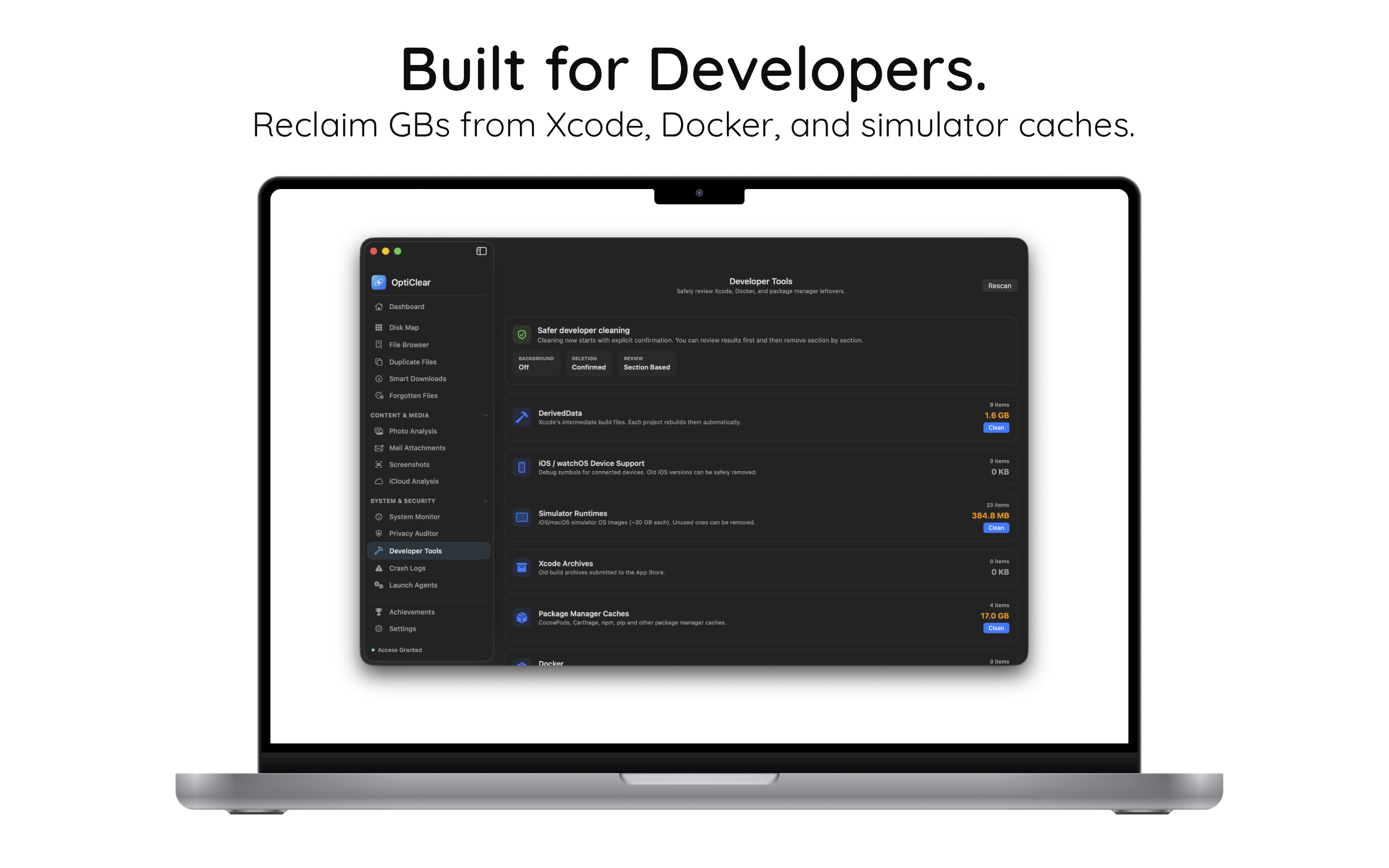
  • DerivedData, Simulators, Xcode Archives
  • CocoaPods, npm, pip caches (17 GB+)
  • Safer cleaning with explicit confirmation
Developer Tools
Photos

Organize Your Memories.

Find and remove duplicate or similar photos effortlessly. Spot low-quality images, screenshots, and near-identical shots.
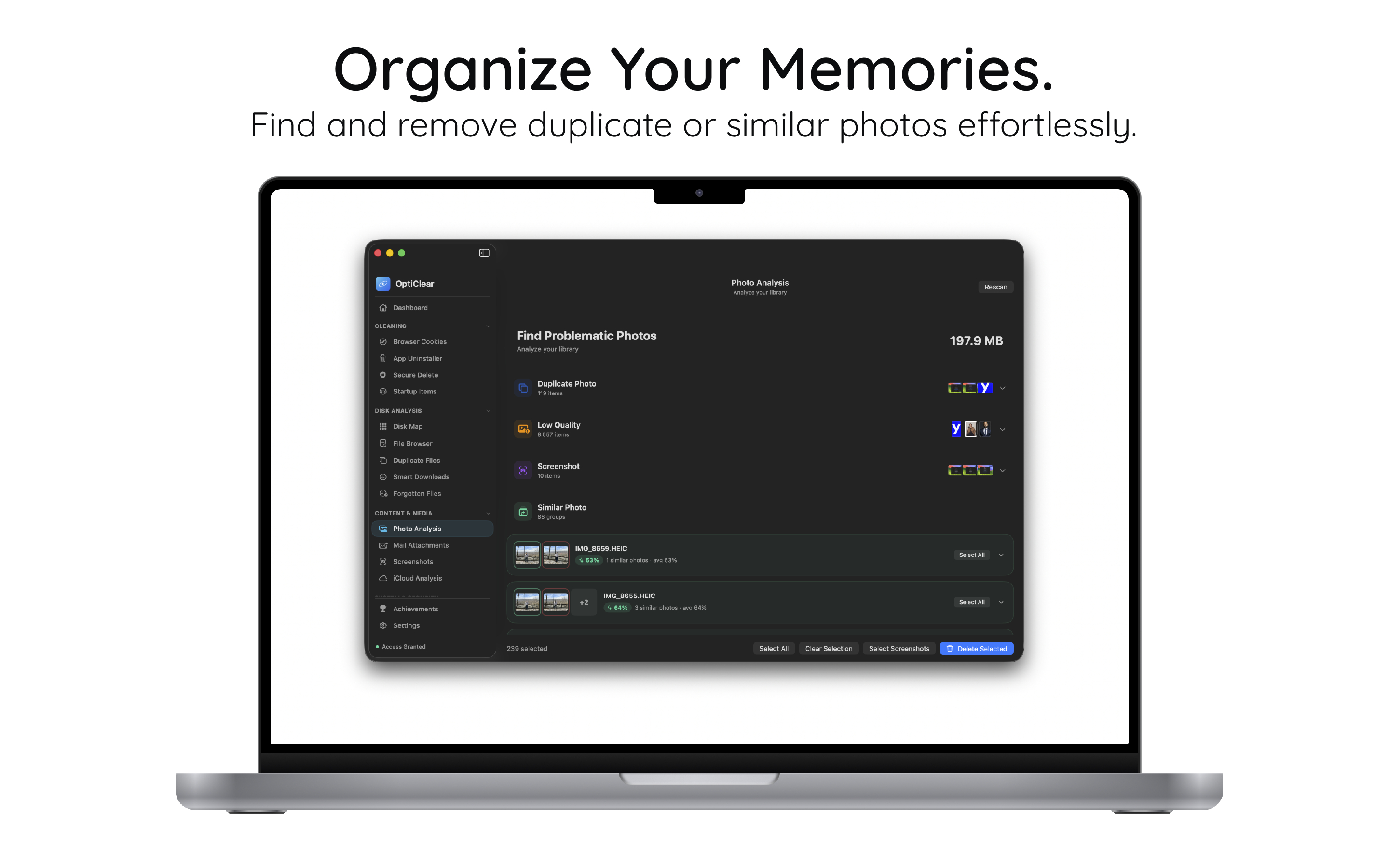
  • Duplicate, low-quality, screenshot detection
  • Similar photo grouping with preview
  • Bulk select & clean with one click
Photo Analysis

Start in under a minute.

No configuration needed. Install, scan, reclaim.

1

Install

Download OptiClear free from the Mac App Store.

2

Scan

Run a full system scan — storage, caches, duplicates, privacy.

3

Clean

Review recommendations and reclaim gigabytes safely.

간단하고, 정직한 요금제.

영구 무료로 시작하세요. 필요할 때 업그레이드하세요.

무료
$0
영구 무료
  • Dashboard & Overview
  • Browser Cookie Cleaning
  • System Monitor
  • Disk Map & File Browser
무료로 시작

Mac 공간을 되찾을 준비가 되었나요?

드라이브를 깔끔하고 빠르고 안전하게 유지하기 위해 OptiClear를 신뢰하는 Mac 사용자들과 함께하세요.

Mac App Store에서 다운로드